Olliter Manuals

Configuring the Firewall for OL-Master Software
Network communication to the device is performed using UDP protocol, a security system exception must be created for the software to work reliably.
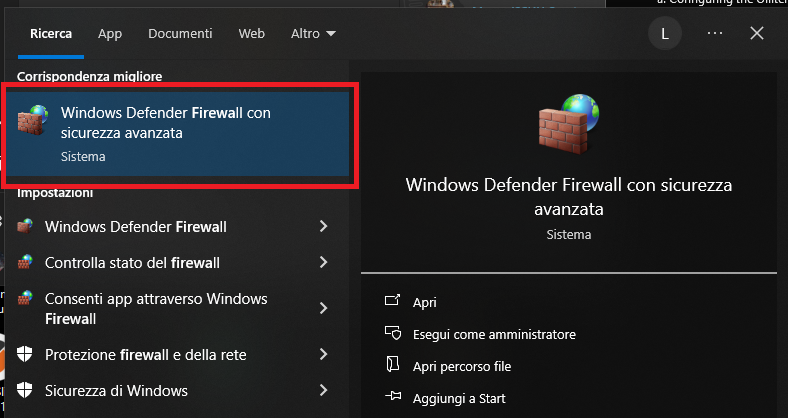
Open the Windows firewall settings.
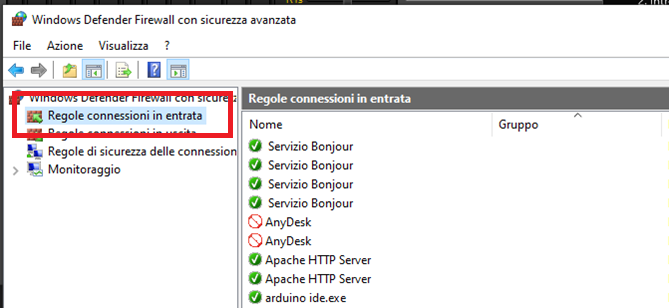
Select "Inbound connection rules" on the left menu.
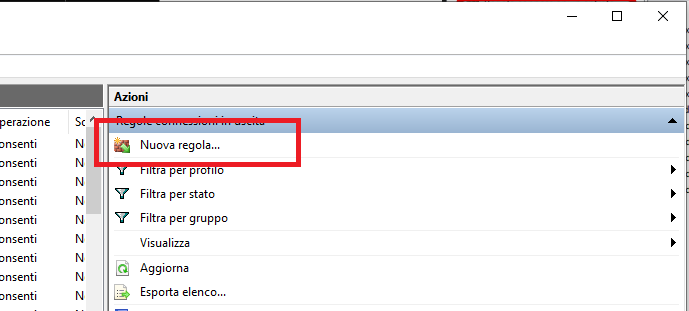
Click on "New rule" on the right menu.
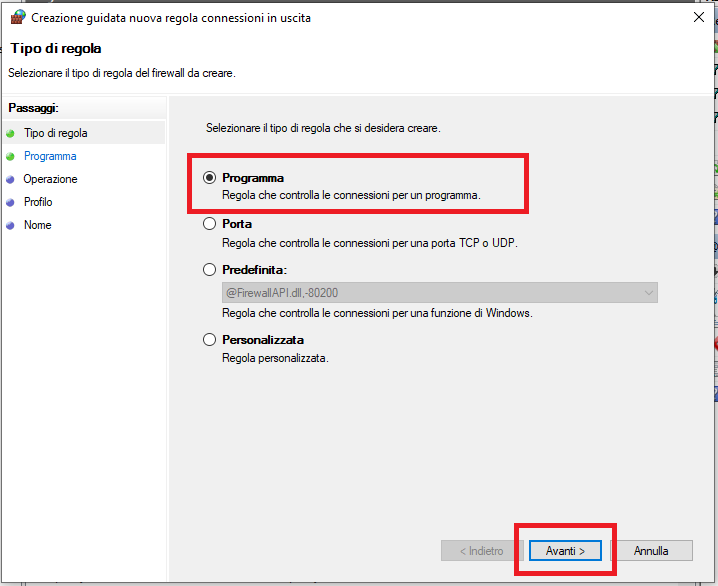
Select "Program" and click "next".
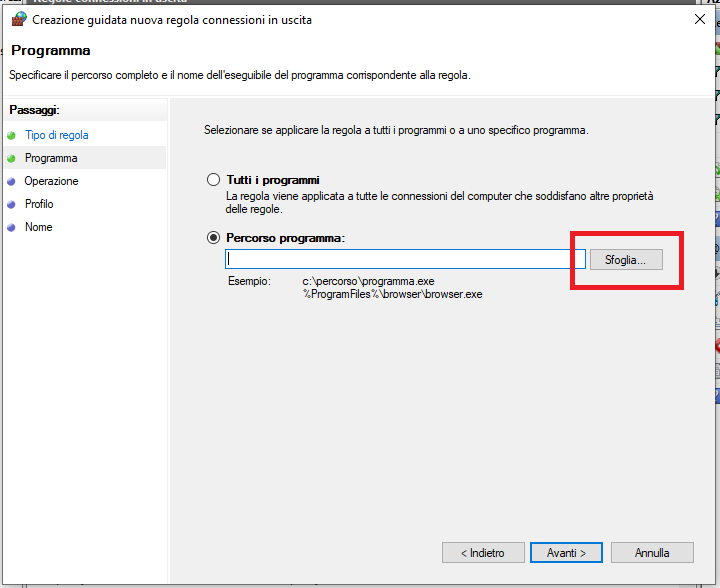
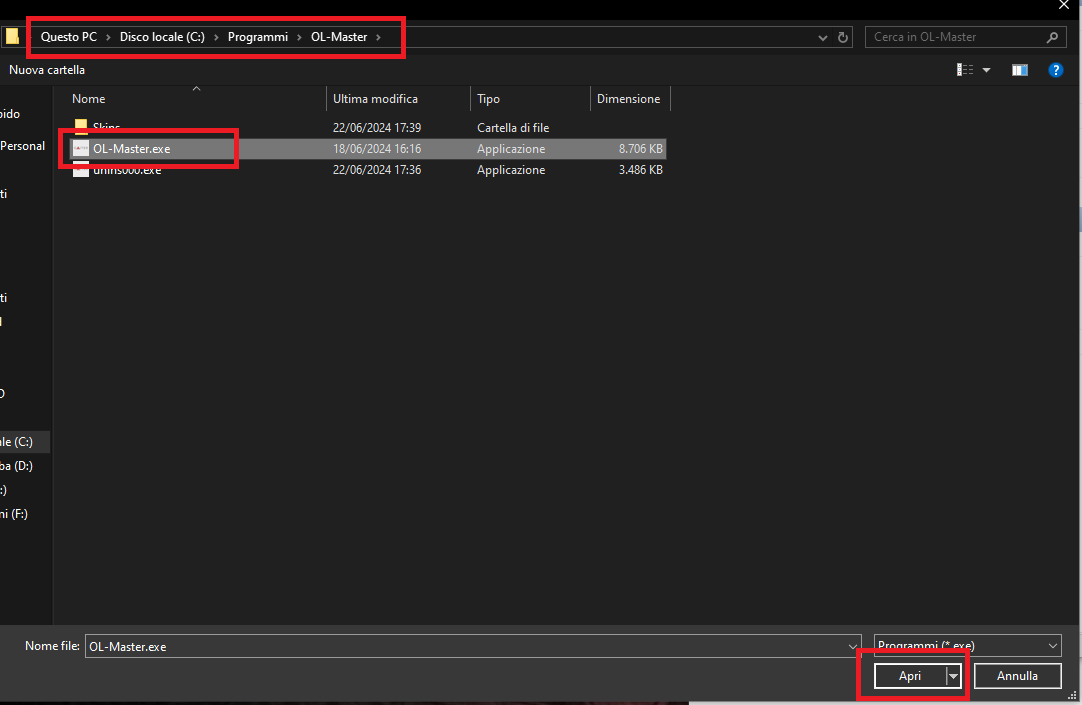
Click on "Browse" and navigate to C:/Program Files/Olliter/Ol-master.exe
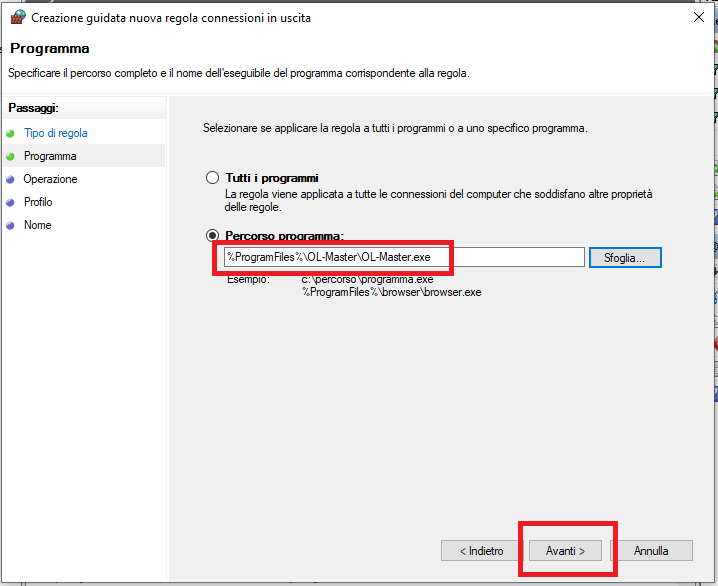
Click on "Next"
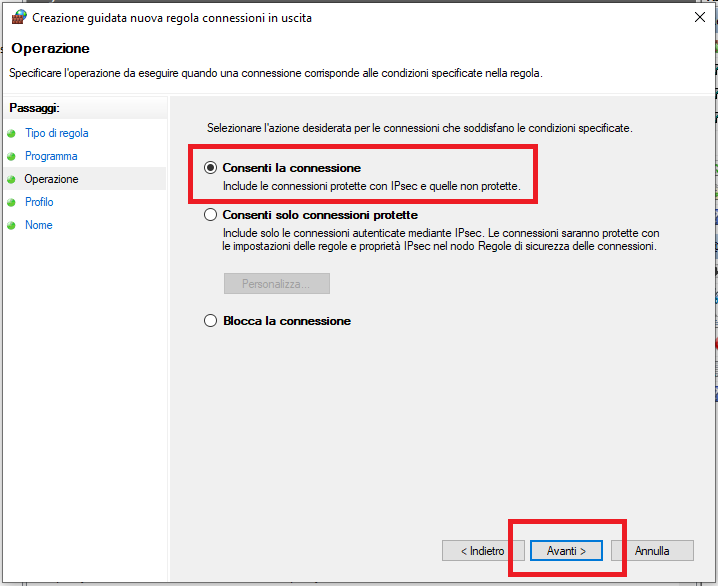
Select "Allow connections" and click "Next".
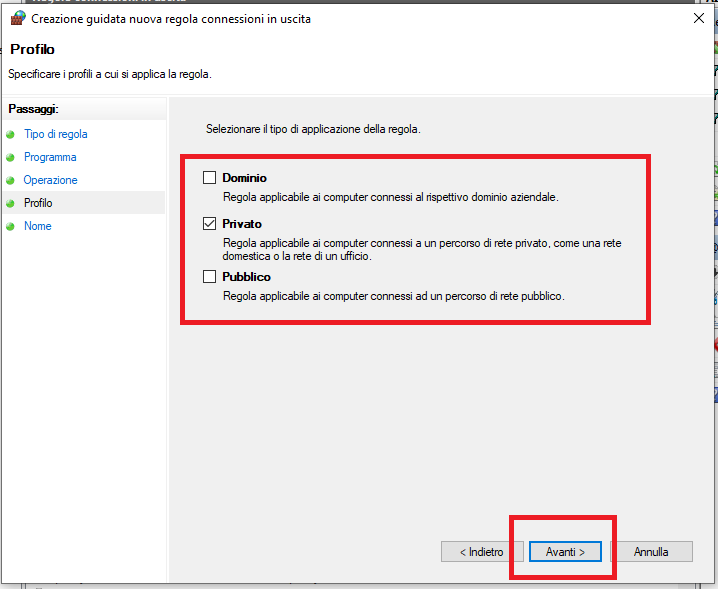
Now select the kind of network that you are using, by default it should be "Private", if you are using a different kind of network, please select the option that best fits your configuration.
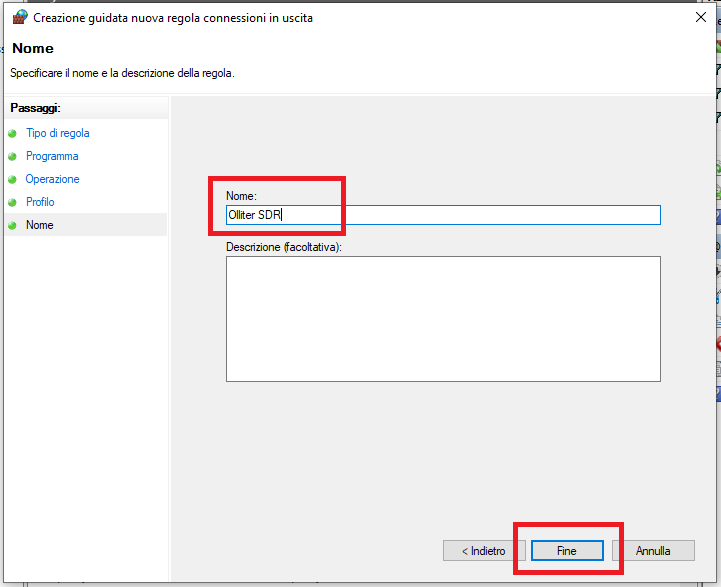
Insert any name you like and then click on "Complete".